
Pull Sales Data from Touchpoint for Credit Card Verification
Log in to Touchpoint with a phone token, navigate to the weekly sales report, and pull the credit and credit refund amounts for the CCV spreadsheet.
This guide pulls the daily credit and credit refund figures Touchpoint clients need for the weekly credit card verification.
Source: General Accounting/02 - Cash and Credit Card/Touchpoint CCV Instructions.docx. Related SOP: Credit card and cash deposit verification.
Procedure
Go to c1.tchpt.com/admin/login_with_mobile.
- Enter the phone number associated with the account.
- Click Continue.
- Click Having Trouble? Click to get token in Call to initiate the call.
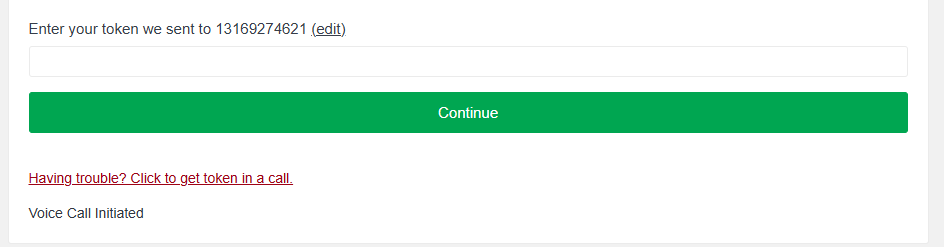
Touchpoint delivers the token by phone call, not text. Be somewhere you can take the call before starting.
The location list appears — pick the location you're working on.
Then on the left-hand side, select Reports & Stats, and pick Sales.
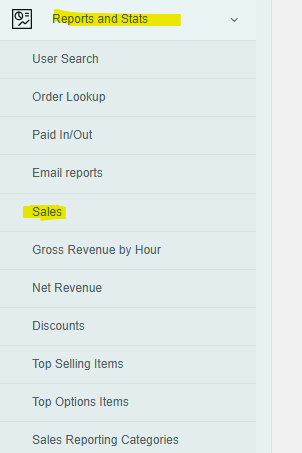
Sales appear a week at a time. Click previous to see prior weeks.
Grab these two amounts for each day:
| Touchpoint figure | Goes in |
|---|---|
| Credit | Column C on the CCV spreadsheet |
| Credit Refunds | Column D on the CCV spreadsheet |
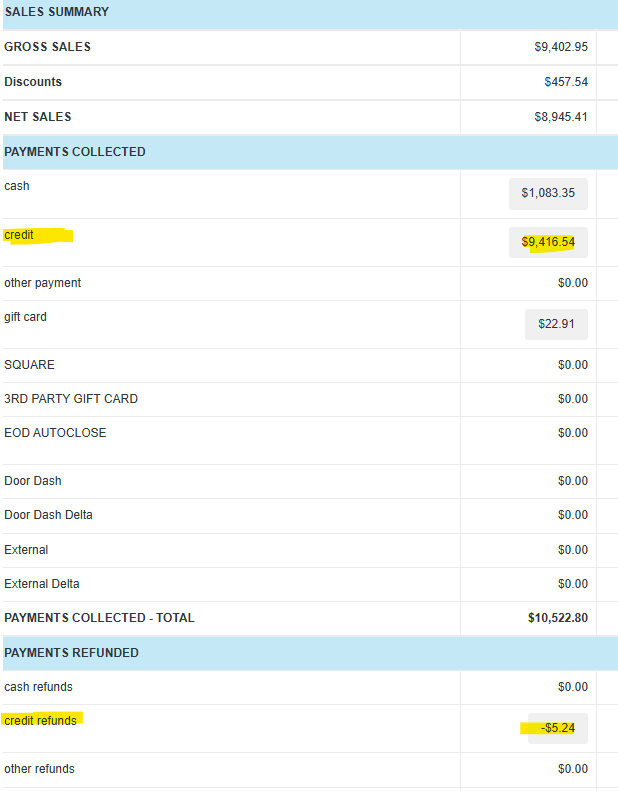
Expected outcome: columns C and D of the CCV spreadsheet are populated for every day in the verification week, ready to match against bank deposits.
Related
- Credit card and cash deposit verification — the SOP this export feeds, including variance thresholds and escalation
- Export tender data from CTUIT — the equivalent for CTUIT clients