---
title: "Set Up a Basic Check-Matching Rule Set in Intacct"
sidebarTitle: "Intacct bank rule sets"
description: "Create a rule set and a basic check-matching rule in Sage Intacct so checks auto-match during bank reconciliation."
icon: "link"
---
> **For AI agents:** the complete documentation index is at [llms.txt](/llms.txt). Append `.md` to any page URL for its markdown version.
Sage Intacct lets you create custom matching rules that speed up the bank reconciliation. This guide sets up the simplest useful case: **a basic rule to auto-match checks.**
**Source:** `Technical/Intacct Bank Rule Sets 4.18.24.docx`. For the full configuration — create rules, journal entry templates, and the complete sample rule library — see the SOP [Bank transaction automation: rule setup](/internal/sops/accounting/general/bank-automation-setup).
Start with just this basic check-matching rule. Get it working, confirm checks auto-match on a real reconciliation, then add more rules from the [sample rule library](/internal/sops/accounting/general/bank-automation-setup#sample-matching-rules).
## Create the rule set
Go to **Cash Management → Rule Set** and add a rule set.
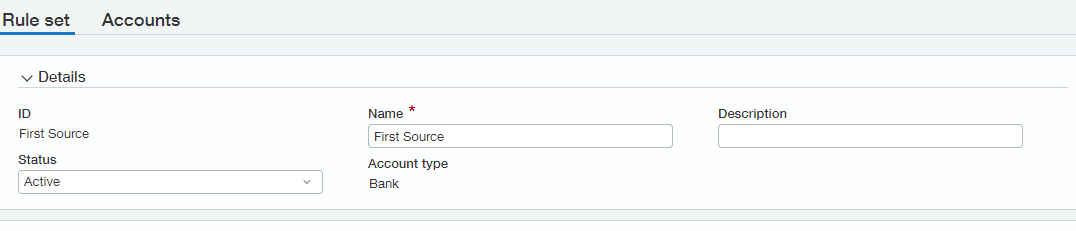
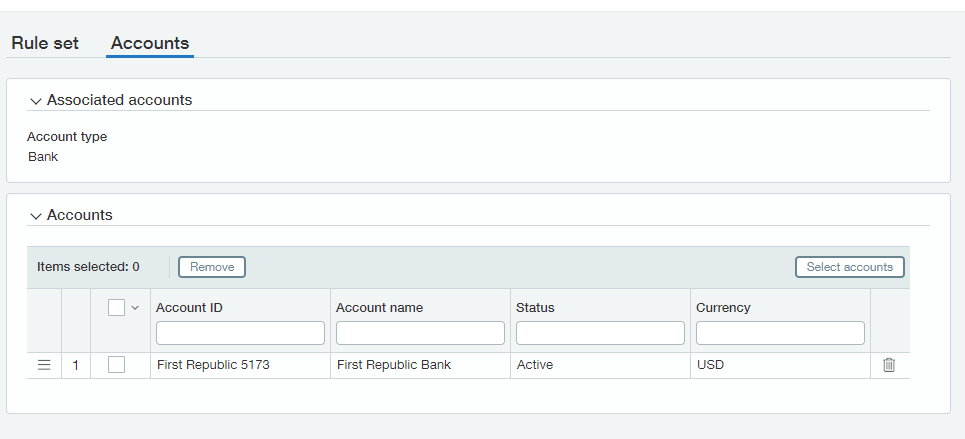
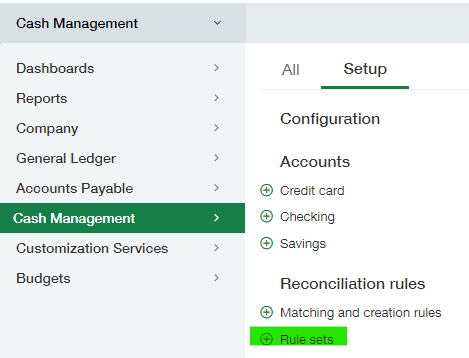 You can have a rule set for each bank account, or one rule set applied to all bank accounts.
 Create the specific rule to assign to your rule set.
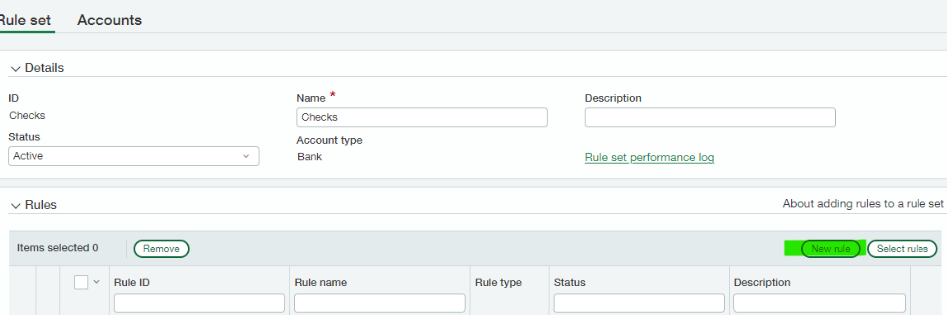
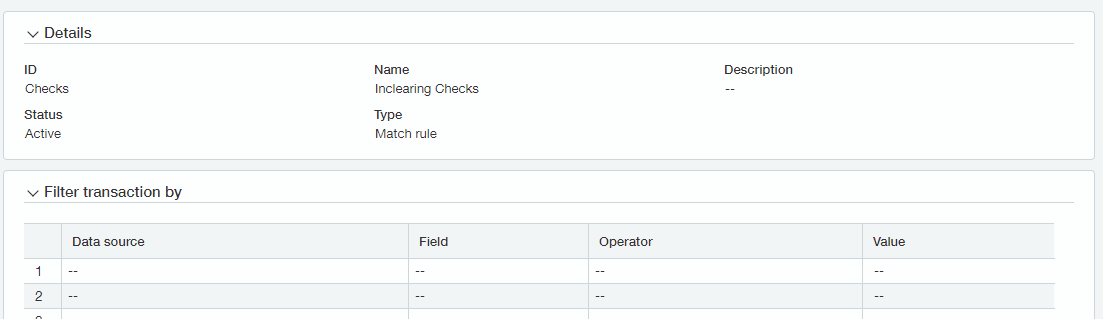
 A match rule needs **at least two matching conditions**, and one of them must be **Amount**. For checks, use the document number (or date) plus the amount.
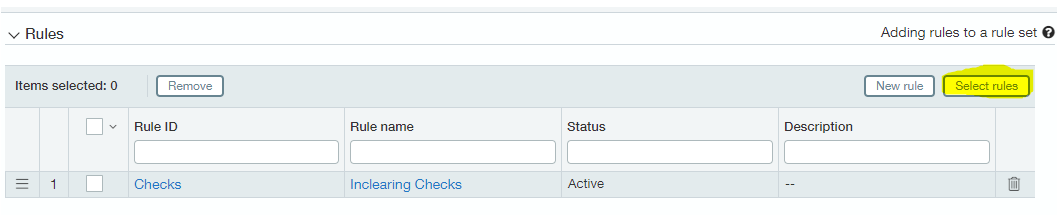
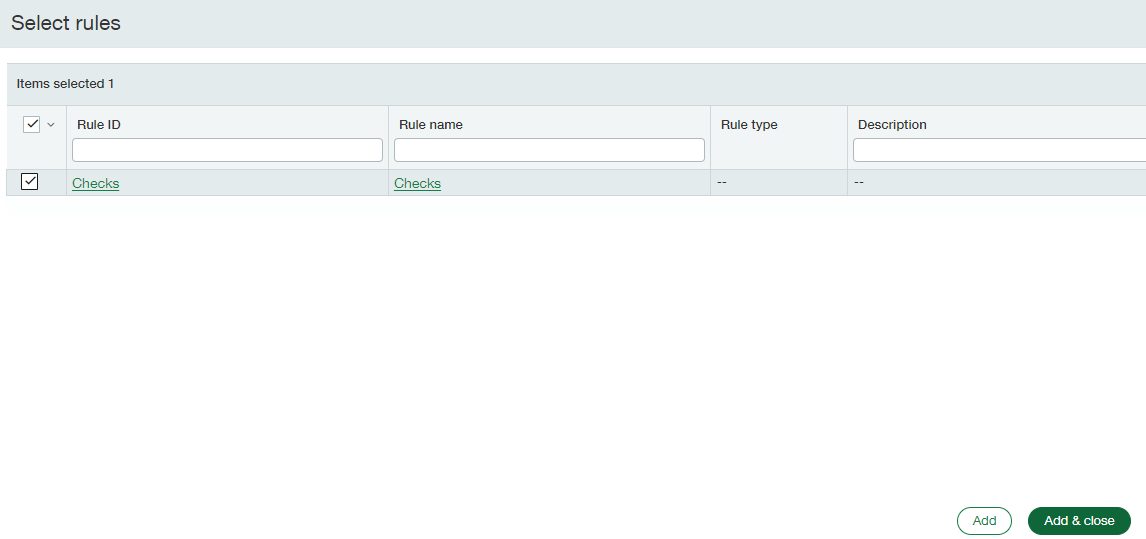
After saving the rule, click **Select Rules** and add the rule you created. Save the rule set.
A match rule needs **at least two matching conditions**, and one of them must be **Amount**. For checks, use the document number (or date) plus the amount.
After saving the rule, click **Select Rules** and add the rule you created. Save the rule set.
 ## Verify the rule set is applied to the bank account
You can check whether a rule set is applied from the bank setup. Open a bank account, and on the **Details** tab scroll to the bottom for the **accounting information** section.
## Verify the rule set is applied to the bank account
You can check whether a rule set is applied from the bank setup. Open a bank account, and on the **Details** tab scroll to the bottom for the **accounting information** section.
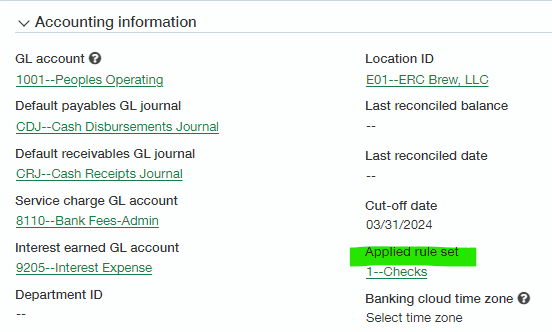 **If no rule set is applied, auto-match will not be available during bank reconciliation.** This is the first thing to check when auto-match appears to be missing.
## Related
- [Bank transaction automation: rule setup](/internal/sops/accounting/general/bank-automation-setup) — the full manager-level configuration
- [Reconcile with bank automation rules](/internal/sops/accounting/general/bank-automation-reconciling) — using the rules day to day
- [Intacct bank reconciliation](/internal/sops/accounting/general/intacct-bank-reconciliation) — the manual alternative, including the auto-match file import
**If no rule set is applied, auto-match will not be available during bank reconciliation.** This is the first thing to check when auto-match appears to be missing.
## Related
- [Bank transaction automation: rule setup](/internal/sops/accounting/general/bank-automation-setup) — the full manager-level configuration
- [Reconcile with bank automation rules](/internal/sops/accounting/general/bank-automation-reconciling) — using the rules day to day
- [Intacct bank reconciliation](/internal/sops/accounting/general/intacct-bank-reconciliation) — the manual alternative, including the auto-match file import